Community Features
Explore the various ways you can engage with FireAnime and customize your viewing experience. FireAnime is more than just a search engine; it's a platform built for anime fans.
User Accounts
While you can use FireAnime without an account, creating one unlocks several powerful features to enhance your experience.
Registration & Login
By creating an account, your settings, watchlist, and preferences are synced across all your devices.
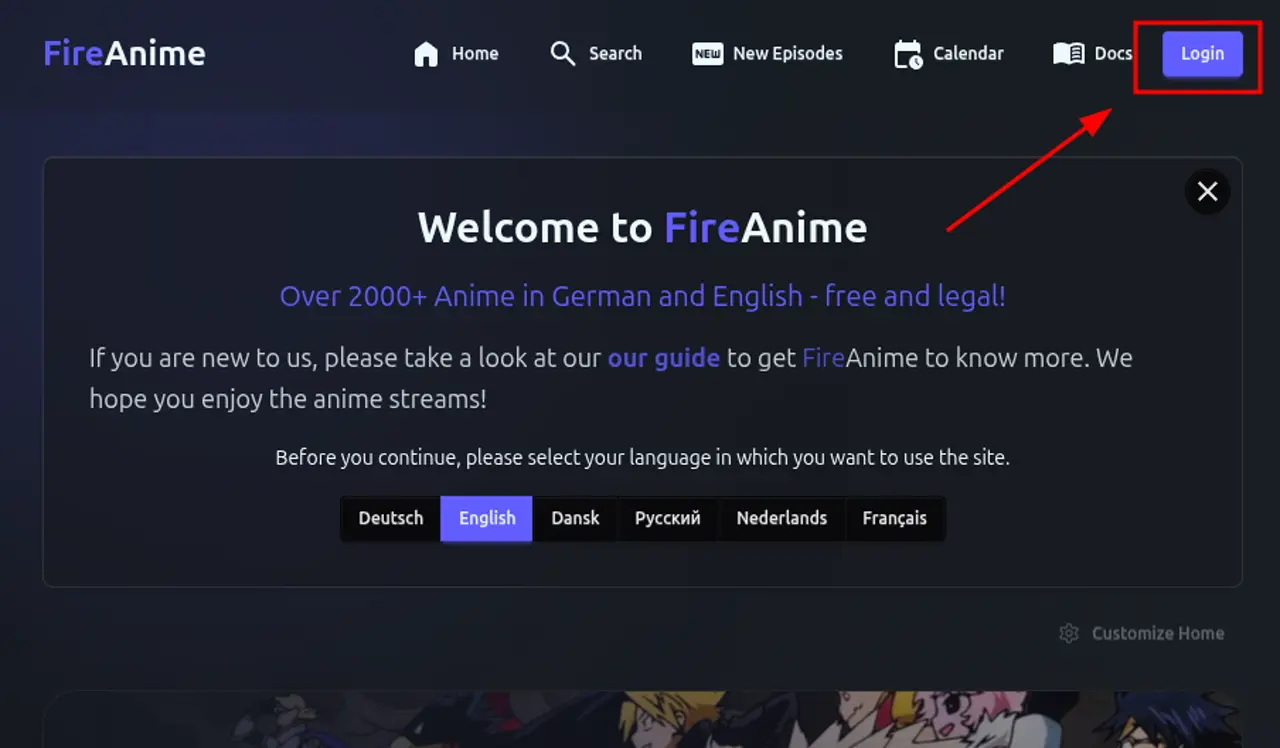
- Navigation: Click on the Login button in the navigation bar to sign in or create a new account.
Public Profiles & Personal Branding
Showcase your anime journey with a customizable public profile. Every user gets a dedicated page at /profile/[id] (or /me for your own view).
- Customization: Upload a custom Avatar and Banner to personalize your presence.
- Dynamic Accent Colors: Choose a unique Accent Color that styles your profile, heatmap, and action buttons for visiting users.
- Quick Stats: High-level metrics showing your total likes, watchlist size, and active subscriptions at a glance.
- Navigation: Visit Account > Profile to manage your branding.
Activity Heatmap
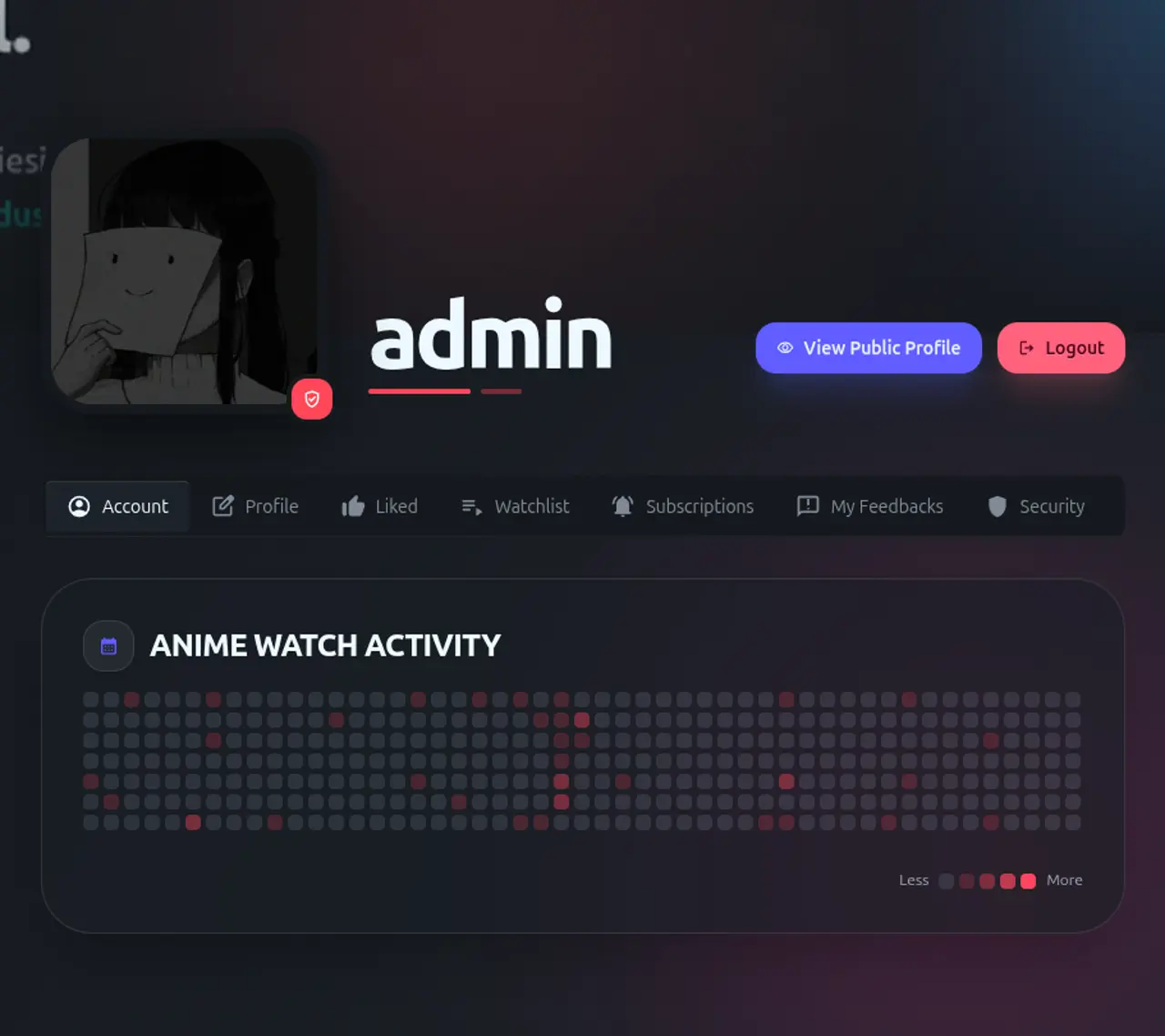
Track your anime consumption over time with our GitHub-style activity heatmap, visible on both your private dashboard and your public profile.
- Navigation: Navigate to your Account page (
/account) or your public profile. - Functionality: Each square represents a day; your custom accent color determines the intensity based on episodes watched.
Watchlist Management
Never lose track of your progress again. Our watchlist system allows you to organize your anime library efficiently.
Status Tracking
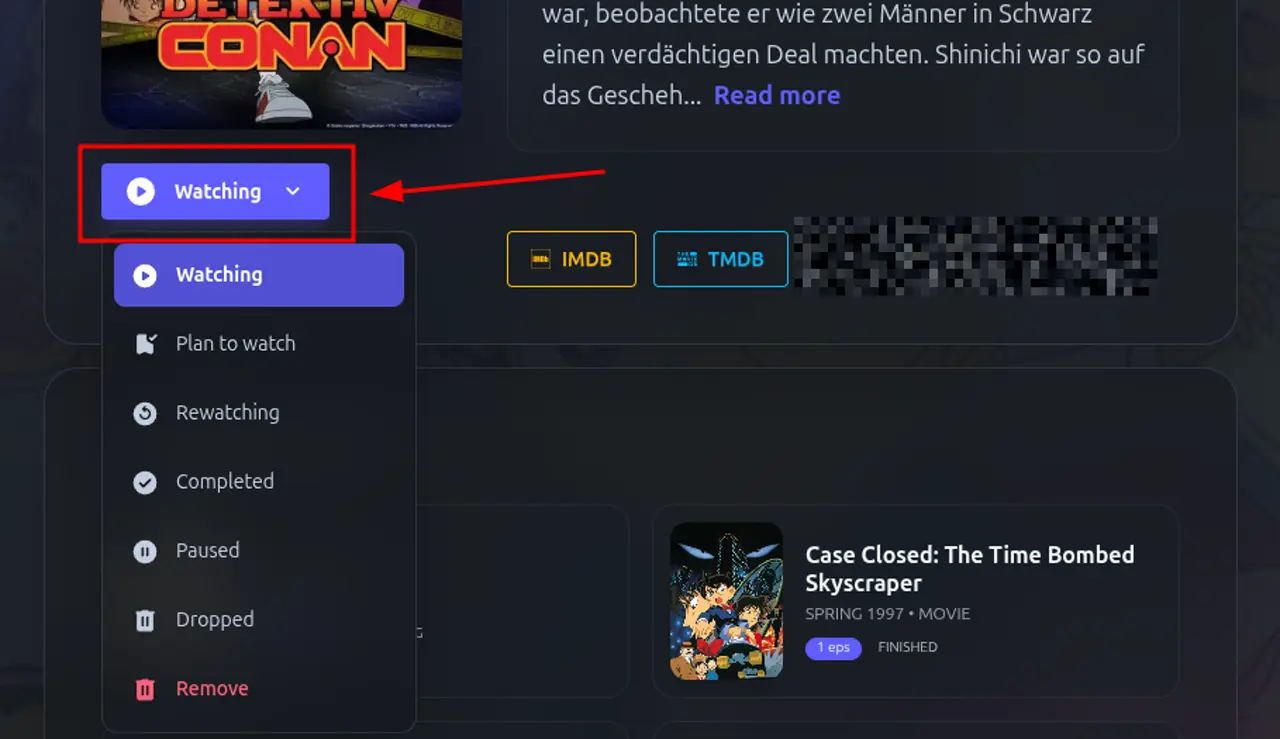
You can categorize every anime into one of the following statuses:
- Watching: For animes you are currently viewing.
- Plan to Watch: For animes you want to see in the future.
- Completed: For animes you have finished.
- On Hold: For animes you've temporarily stopped watching.
- Dropped: For animes you've decided not to finish.
- Rewatching: For your absolute favorites you're seeing again.
How to use
- Navigation: On any anime detail page, click the "Add to List" (or current status) button below the poster.
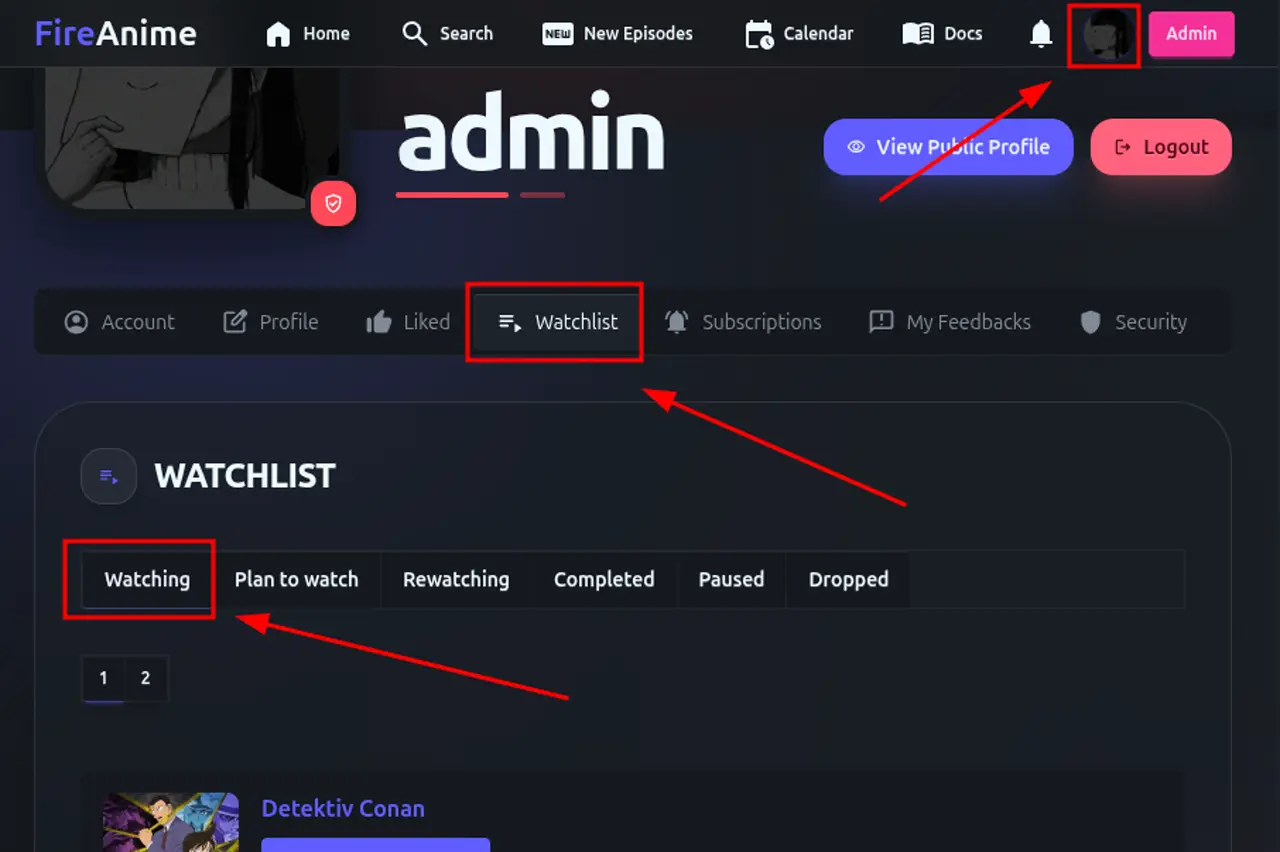
- Management: View and manage your entire list at
/account/list.
Anime Subscriptions & Notifications
Get notified the moment a new episode of your favorite series is available in your preferred language.
Language-Specific Subscriptions
You can subscribe to notifications for:
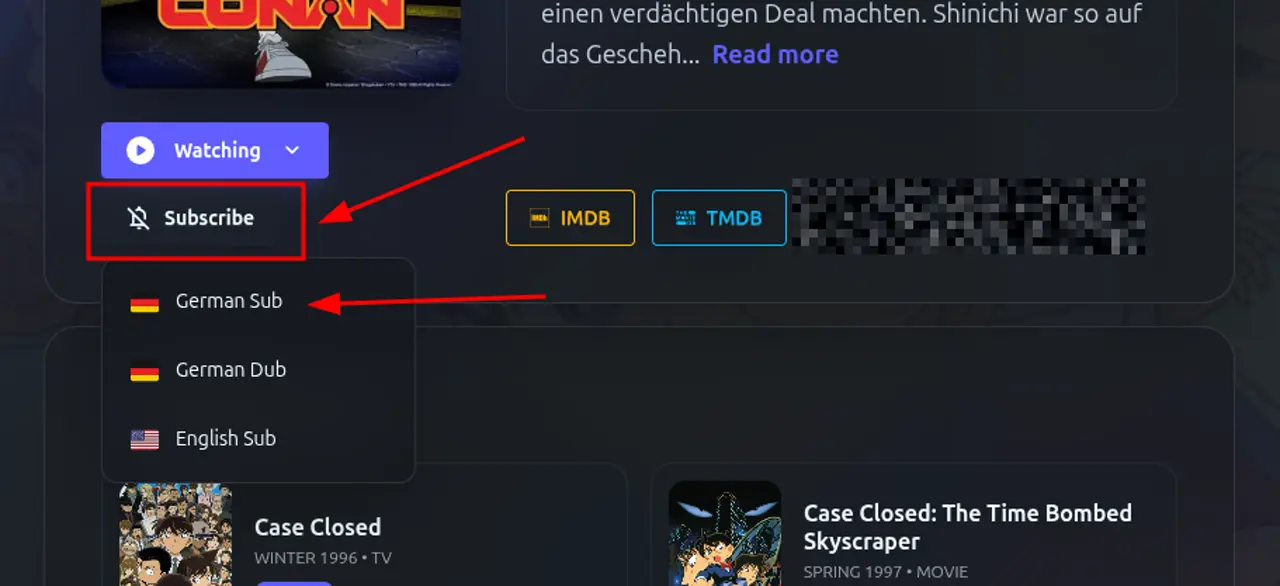
- German Sub (GerSub)
- German Dub (GerDub)
- English Sub (EngSub)
How to use
- Navigation: On the anime detail page, click the "Bell" icon button. Select your preferred language from the dropdown.
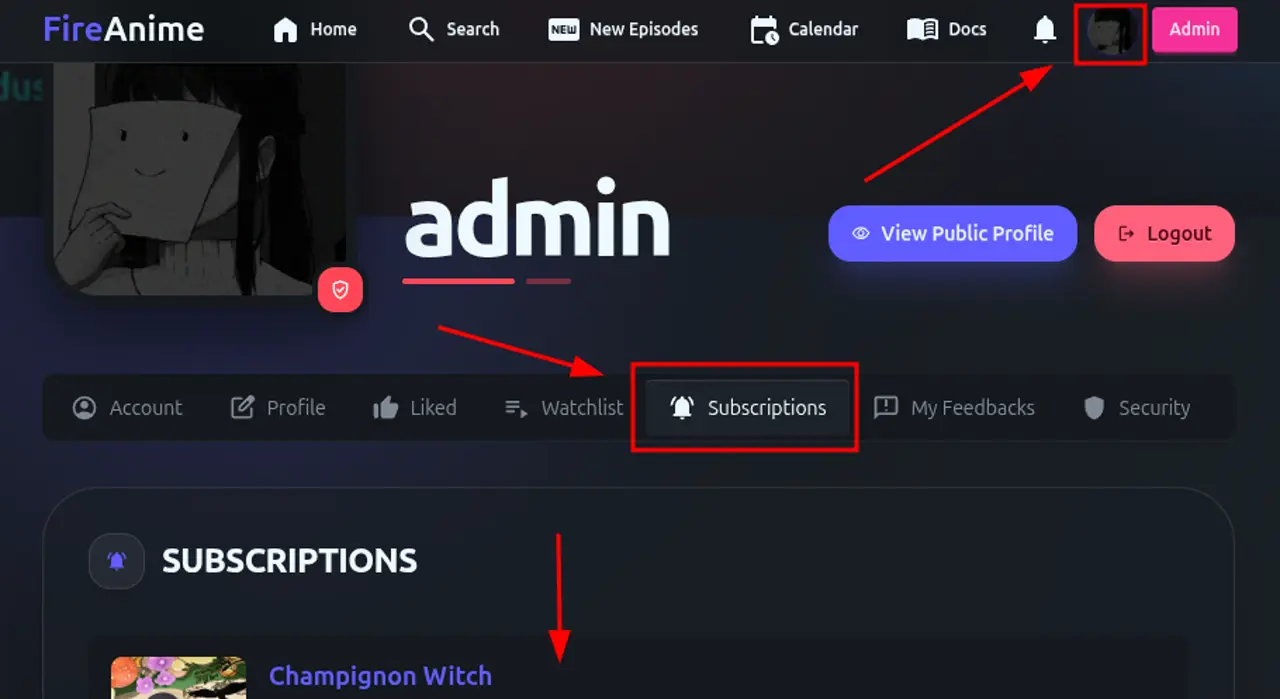
- Management: View all your active subscriptions at
/account/subscriptions.
Personalized Experience
FireAnime allows you to tailor the interface to your liking.
Layout Customization
You can reorder, hide, or resize blocks on both the homepage and the anime detail pages.
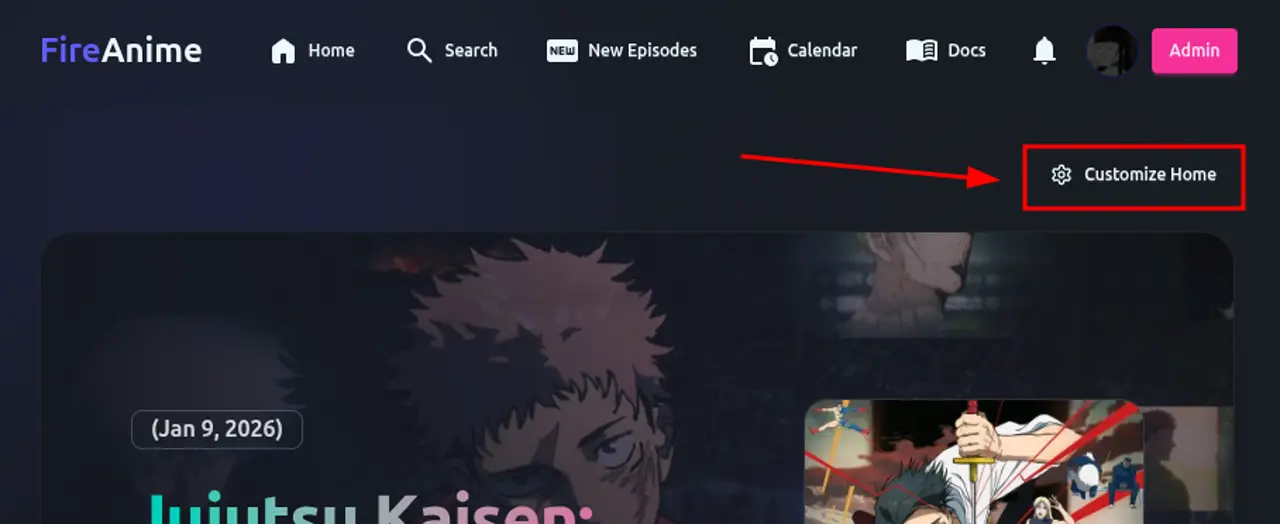
- Navigation: Click the "Customize" (Gear icon) button on the homepage or anime page.
- Functionality: Drag and drop elements to reorder them, or toggle their visibility. You can also choose between "Default", "Focus Mode", and "Compact" templates.
Engagement & Interaction
Interact with the content and the community through various features.
Liking & Disliking Episodes
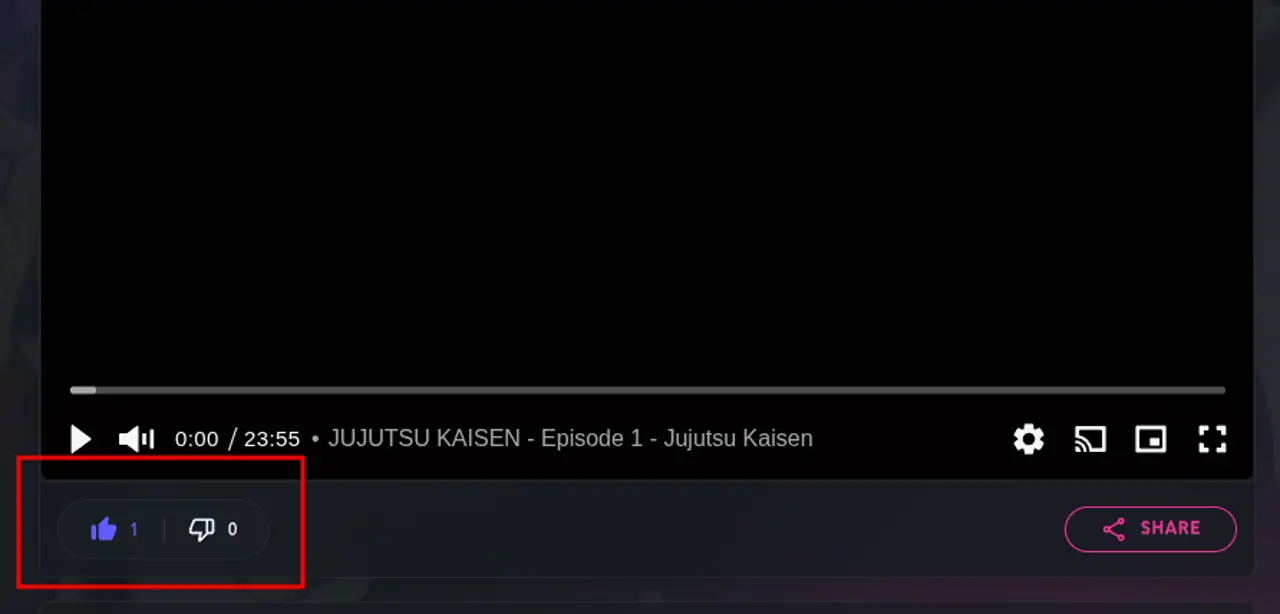
Show your appreciation for great episodes or provide feedback on stream quality.
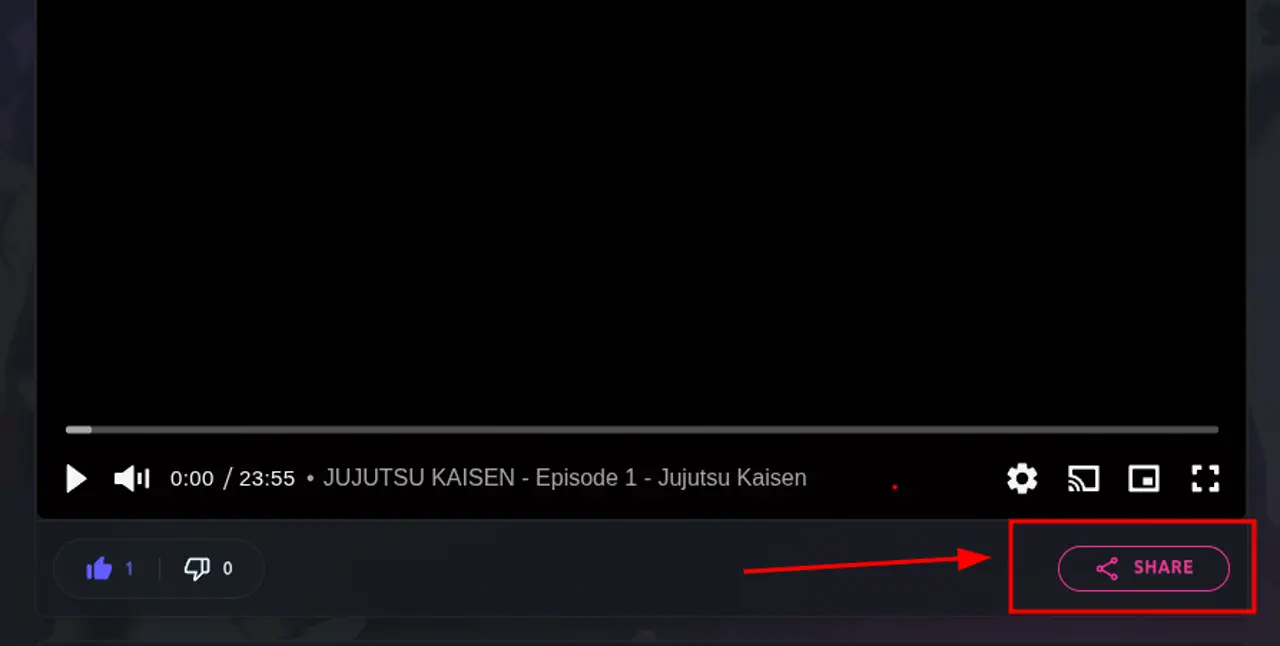
- Navigation: Below the video player on any episode page.
Share with Friends
Easily share specific episodes or series with your friends via social media or direct links.
- Navigation: Click the "Share" button below the video player.
Advanced Discovery
Finding your next favorite anime is easy with our advanced tools.
Release Calendar
Stay up to date with the latest releases scheduled for the week.
- Navigation: Click on "Calendar" in the navigation bar (
/calendar).
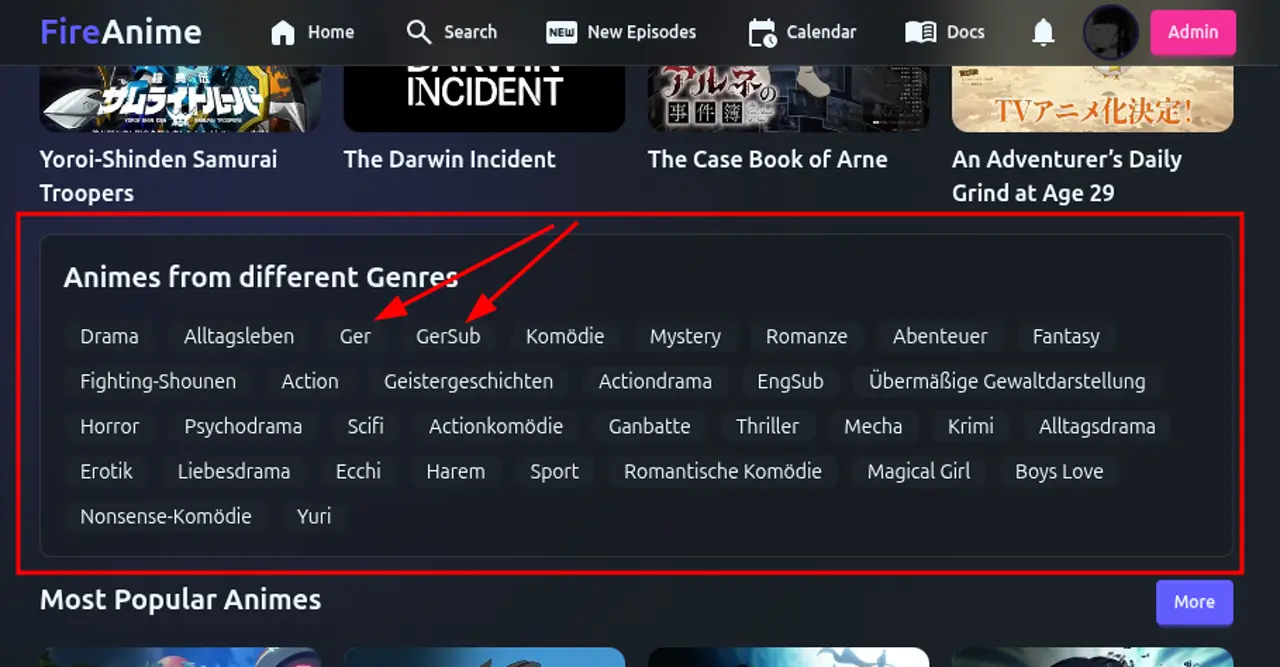
Genre & Hot Lists
Explore animes by genre or see what's trending in the community.
Mobile Experience
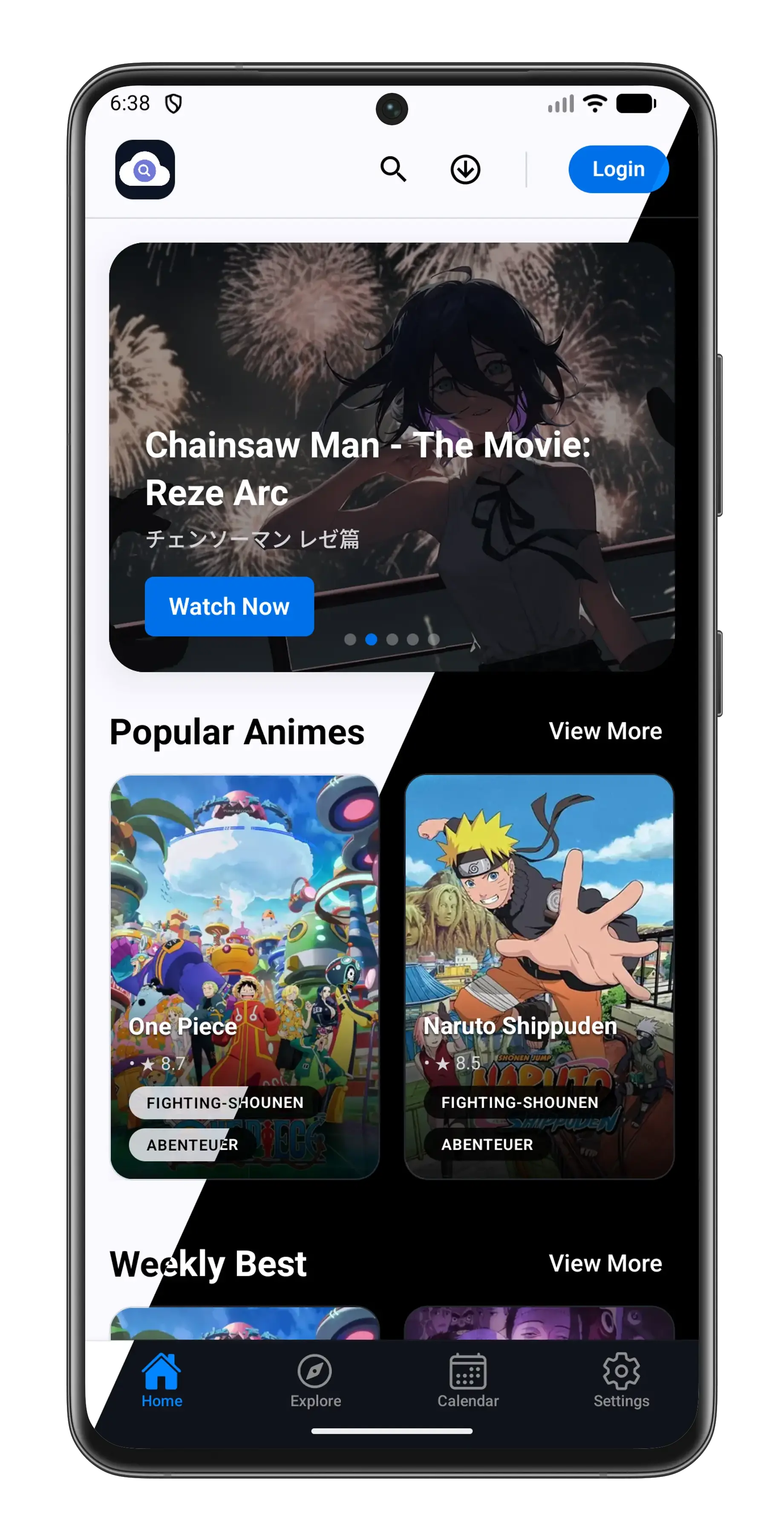
Take your anime with you wherever you go with our dedicated Android application.
FireAnime Android App
The Android app offers a seamless mobile experience with features specifically designed for on-the-go viewing.
- Offline Mode: Download episodes to your device and watch them without an internet connection.
- Optimized UI: A completely refreshed UI design optimized for touch navigation.
- No Ads: Enjoy your favorite series without any interruptions.
- Navigation: Visit the App page (
/app) to download the latest APK.
External Integrations
MALSync Support (Experimental)
Synchronize your watch progress automatically with MyAnimeList.
- Functionality: When the MALSync browser extension is installed, it detects your video progress on FireAnime and synchronizes it with your MAL account. Note: This functionality is managed entirely by the extension.
Feedback & Support
We value your input! Whether you've found a bug, have a feature request, or just want to share your thoughts, we want to hear from you.